


C3 Blog
5 Steps to Selecting the Best Dock Scheduling Software
March 5, 2021

Subscribe to the C3 Blog!
The latest industry news in your inbox.
The Author

 17 min


TL,DR
The decision to invest in dock scheduling software can lead to significant benefits in the supply chain and reduce stress. As with any change to supply chain management systems or records, it is imperative shippers thoroughly consider the software vendor and evaluate their service levels. Shippers that follow the right steps to selecting the best dock scheduling software can quickly manage fluctuations and ensure the system chosen adds value and generates a positive return in a faster time frame.
What does dock scheduling software need to handle?
Dock scheduling software coordinates every inbound and outbound truck with the resources needed to load or unload it. Appointment booking is the visible part; capacity planning is the actual work. (New to the topic? Start with everything you need to know about dock scheduling.)
Booking a trailer is not like booking a clinic appointment. A usable dock slot has to account for:
- Dock doors and floor space: which doors fit the equipment, and whether there’s staging room for the freight.
- Labor and equipment: crew size, forklifts or clamp trucks, and how long this type of load takes to work.
- Business priorities: just-in-time production parts, promotional freight, or a key customer’s orders.
Because scheduling touches inventory, production and customer orders, a change to how you schedule involves receiving, shipping, purchasing, transportation and IT. That’s why selection needs more than a feature checklist.
How does dock scheduling software work?
Most dock scheduling systems follow the same loop, from rules to booking to data:
- You set the rules. Doors, operating hours, appointment durations by load type, and constraints such as palletized vs. floor-loaded, product type, vendor or PO.
- The carrier or supplier requests a slot, usually through a web portal, entering the PO and load details and attaching documents such as the BOL or packing slip.
- The system offers only slots that fit your rules and remaining capacity. Bookings are confirmed automatically or routed to a scheduler, depending on the carrier.
- Everyone affected is notified when an appointment is booked, changed or cancelled.
- On the day, events are timestamped: arrival, door assignment, start and end of loading or unloading, departure.
- Data flows out to your WMS, TMS or ERP, and into reports on turnaround time, on-time arrivals and carrier performance.
Doesn’t our WMS or TMS already do dock scheduling?
Usually only at a high level. ERP, WMS and TMS platforms are core systems built for inventory, orders and transportation planning; dock scheduling has historically been treated as a minor function inside them.
A dedicated dock scheduling system is a mid-level, collaborative tool. It connects the people who deliver or pick up at your site with the people who run it, and it exchanges data with your core systems rather than replacing them. If you also manage trailers in the yard, see how dock scheduling and yard management differ.
How do you choose dock scheduling software? A 5-step process
The short answer: measure what’s broken, write requirements from your real constraints, confirm integration early, and test vendors against your own scenarios before you sign.
Step 1: Benchmark your current dock operations
Since a dock scheduling platform is only one of the available types of improvements that can be made to speed order fulfillment and activity in your organization, do not skimp on the assessment. You can’t improve what you haven’t measured, and you can’t prove ROI without a baseline. Before you talk to vendors, capture:
- Average and worst-case driver turnaround time, by inbound and outbound.
- Detention invoices paid per month, and how many you could verify.
- Hours per day schedulers spend booking by phone and email, and re-keying data into other systems.
- Dock overtime hours, and when in the week they occur.
- On-time arrival rate by carrier and supplier, if you have it.
Then ask the broader questions: can you improve shipping time and cost, receive more within your current space, cut receiving labor, and tighten inventory control? Talk to dock leads and schedulers too. They know which workarounds keep the place running.
Step 2: Form a cross-functional selection team
Dock scheduling touches receiving, shipping, purchasing, transportation, customer service and IT. Put a representative from each on the team so requirements reflect everyone who books, works or depends on the schedule. This team compiles needs and wants, reviews vendor material, and owns the final decision.
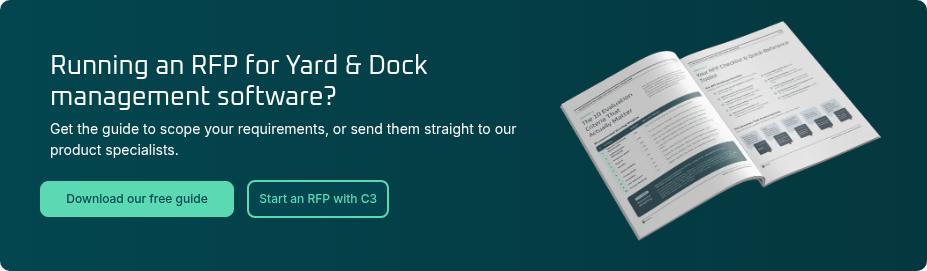
Step 3: Write requirements from your constraints, not a feature wishlist
Start with the rules your dock actually runs by. For example: floor-loaded containers only in the first half of the shift, a cap on non-palletized loads per hour, reserved capacity for promotional freight, longer slots for mixed-SKU loads. A system that can’t express these rules will push schedulers back to spreadsheets.
The feature section below lists the capabilities that support these rules.
Step 4: Map integration requirements with IT early
It is impractical to assume your organization can upgrade and update all systems simultaneously. Therefore, choosing the best dock scheduling software means finding a software vendor that enables integration with existing systems.
List the systems the dock schedule must talk to (WMS, TMS, ERP, yard management) and what data moves in each direction: POs and ASNs in, appointment status and actual times out. Most modern platforms integrate through APIs, with EDI still common for carrier and supplier data.
Involve IT at this step, not after the contract. IT teams are usually committed to core-system projects, so knowing that a vendor can start standalone and integrate in phases can make or break the timeline.
Step 5: Shortlist, demo and test with real scenarios
Narrow the field to three or four vendors and send each a request for information. In demos, have vendors run your scenarios rather than their script: a late carrier, a promotional surge, a cancelled appointment that should free its slot.
Before you commit, ask how onboarding works, who supports carriers during adoption, and what a realistic timeline looks like. Off-the-shelf systems are often live within three to four months, sometimes faster.
Which features matter most in a dock scheduling system?
The features that matter are the ones that let the system enforce your dock’s real constraints without a scheduler stepping in. Use this table as a demo checklist.
| Feature | What to check in a demo | Why it matters |
| Configurable constraints | Rules by load type (palletized vs. floor-loaded), product, vendor, PO, door | Without them, the system books slots your crew can’t work |
| Custom appointment durations | Different slot lengths per load profile | A 26-pallet live unload and a mixed floor-loaded container shouldn’t get the same hour |
| Labor-based capacity | Slots limited by crew available per shift, not just open doors | Spreads hard loads across the shift and prevents overtime spikes |
| Standing (recurring) appointments | Recurring bookings that reserve dock, labor and space; expiry dates that release unused slots | Fits regular suppliers and dedicated routes without blocking capacity forever |
| Reserved capacity | Hold slots for promotions, priority customers or JIT freight; alerts if they aren’t booked | Keeps critical freight from competing with routine loads |
| Carrier and supplier self-service portal | 24/7 booking, rescheduling and cancellation by external users | Removes most booking calls and emails |
| Per-carrier automation levels | Auto-confirm trusted carriers; route others for review | Automation where it’s safe, control where it isn’t |
| Automated notifications | Alerts triggered by any booking event, chosen per user | Everyone knows about changes without a phone call |
| Document attachments | BOLs, packing slips and POs attached to each appointment | Paperwork is in hand before the truck arrives |
| Multi-site management | One platform across DCs, plants and cross-docks | Consistent rules and network-wide reporting |
| Real-time schedule adjustment | Rebook or reassign doors when drivers run early or late | The plan survives the day |
| Integration | APIs/EDI with your WMS, TMS, ERP and yard system | No re-keying; schedule reflects real orders |
| Vendor support | Support hours that match your operating hours, including nights and weekends | Docks run around the clock; a booking problem at 2 a.m. can’t wait for business hours |
How does dock appointment scheduling reduce detention and demurrage costs?
It attacks the root cause, which is usually planning rather than bad luck. When the day is scheduled to your real capacity and carriers are held to their appointment times, long waits become the exception, and the ones that remain are documented.
Dock scheduling acts most directly on detention; it helps with demurrage by making sure containers have a dock slot when they come out of the terminal. For a fuller breakdown, see detention vs. demurrage.
Scheduling reduces these charges in three ways:
- Fewer waits. Slots are offered only when door, labor and equipment are available, so trucks don’t arrive to a dock that can’t take them.
- Recovered slots. When a carrier misses or cancels, the slot is released for another truck instead of sitting empty while others queue.
- Verifiable times. Your carrier records when the driver arrived, was unloaded and left. Your own timestamps let you check those claims, including whether the driver showed up early and the wait was not your doing.
The same discipline cuts dock overtime. You can’t negotiate overtime away with your own crew the way you might with a carrier’s detention invoice, but you can prevent it by scheduling to labor capacity.
How do food and beverage companies manage high-volume dock scheduling?
High-volume food and beverage docks combine heavy, repetitive inbound with time-sensitive and promotional freight, so they lean on rules more than on schedulers.
The practices that matter most:
- Standing appointments, reserving dock, labor and space in advance, with expiry dates so unused recurring slots go back into the pool.
- Reserved capacity for promotions. Featured product for next week’s promotion has to be scheduled before routine freight fills the dock. Holding capacity and getting an alert when it isn’t booked avoids last-minute reshuffling and overtime.
- Slots allocated by business need, not by which carrier asks first for the preferred times.
- Load-type rules that limit floor-loaded or non-palletized deliveries per hour, or place them at the start of a shift when the crew is fresh.
- Shorter dwell for perishable freight. Less waiting at the gate lowers the risk of spoilage and inventory problems.
When peak volume is visible in the schedule days ahead, you can bring in extra staff on straight time instead of paying overtime on the day.
How do you calculate the ROI of a dock scheduling system?
Use the standard formula, but count more than scheduler hours on the gain side:
{ROI} = {Gain from investment} – {Cost of investment}\{Cost of investment}}
The cost side is the pricing and integration items above. The gain side is where most business cases come up short. Include:
- Scheduling labor: hours no longer spent on booking calls, emails and re-keying.
- Detention and overtime avoided: charges and premiums caused by poorly planned schedules, using your Step 1 baseline.
- Labor planning: staffing to the visible workload rather than to guesses.
- Data integrity: fewer errors from duplicate entry across WMS, TMS and ERP.
- Visibility and accountability: KPIs on carrier and supplier performance you can act on.
- Site security and compliance: controlled site access and records that support programs such as C-TPAT.
One more point changes the math. Implementing software is a chance to redesign the process, not reproduce the existing one in a new tool. If you automate a bad process, you get a faster bad process and a smaller return.
To get a first estimate for your site, try the dock scheduling ROI calculator.
How do you build a business case leadership will approve?
Make the invisible costs visible. Dock scheduling is a mid-level operational problem, so senior management rarely sees the daily friction. What they see is that the dock “gets by.”
Three objections come up repeatedly, and each has an answer:
- “Doesn’t our WMS already do that?” Show where your core systems stop: no external booking portal, no capacity rules, no event timestamps. The scheduler’s spreadsheet is the proof.
- “IT has no bandwidth.” A SaaS system can run standalone first and integrate in phases, so the first phase asks little of IT.
- “Is it really broken?” Answer with numbers from your Step 1 baseline, not anecdotes.
These questions turn daily friction into numbers a CFO can weigh:
- How many hours a day do schedulers spend on calls, emails and duplicate data entry?
- How much dock overtime comes from schedules carriers don’t keep, or that don’t match crew capacity?
- What are you paying in detention, and how much of it can you verify?
- If carriers wait beyond free time but don’t bill detention, are you paying for it in higher rates?
- Are carriers starting to avoid your facility or reject tenders?
- How often are you caught short on labor because you didn’t know what was arriving or how it was loaded?
- How much time goes to answering internal questions from customer service and purchasing?
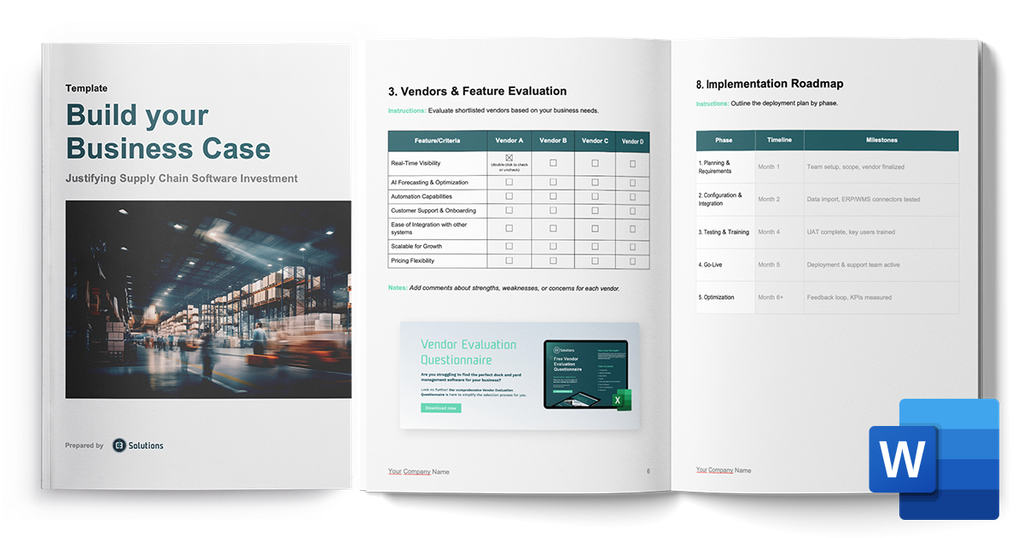
Then, using our template, build the case.
Include the cost of doing nothing. Inbound volumes, vendor counts and carrier expectations keep rising, and a manual process that copes today absorbs each increase as overtime, detention and errors.
Where C3 Reservations fits
C3 Solutions has built dock scheduling software since 2000, from Montreal. C3 Reservations, its dock scheduling software, is designed around the requirements in this guide:
- A self-service portal where carriers and suppliers book, change and cancel appointments around the clock.
- Configurable rules by load type, product, vendor and PO, with custom appointment durations.
- Standing appointments that reserve dock, labor and space, with expiry dates.
- Per-carrier choice between automatic confirmation and scheduler review.
- Automated notifications and document attachments on every appointment.
- Multi-site management and integration with ERP, WMS, TMS, WCS and other systems.
- Cloud delivery: C3 handles updates and configuration changes remotely, so there’s no system to manage on site.
When the problem extends from the door to the yard, C3 Yard adds trailer visibility and yard moves. See everything you need to know about yard management for how the two work together.
To see how other operations have put it to work, browse C3’s dock scheduling case studies.
If you’re building a shortlist, the most useful next step is to see your own scenarios run in the software: a late carrier, a promotional surge, a cancelled slot. Book a demo and bring your Step 1 baseline.

FAQ
Configurable constraints. If the system can’t enforce your rules on load types, durations and labor capacity, it will offer slots your dock can’t work, and schedulers will fall back to spreadsheets. A carrier self-service portal is a close second, because it removes most booking calls.
Yes. Many operations start standalone, replacing phone, email and spreadsheet booking, then add integration in phases. Standalone use already improves visibility and reduces booking work; integration later removes duplicate data entry.
It can be, if the site shows the warning signs above: queues, unverified detention, overtime spikes or heavy phone booking. Run your Step 1 baseline through an ROI estimate before deciding; SaaS pricing keeps the entry cost proportional to your size.
Adoption depends on how easy the portal is and how consistently you enforce it. Phasing carriers on, starting with your highest-volume partners, and stopping phone bookings for onboarded carriers helps.
Other articles you might like
-

How to Scale Dock Scheduling Across Multiple Sites
By Hamza Lguirri • November 3, 2026TL,DR Introduction Every multi-site operation has the same file somewhere: a dock schedule that began as one site’s spreadsheet and… -

Who Should Be on Your RFP Team?
By Hamza Lguirri • October 1, 2026TL;DR A Yard Management or Dock Scheduling RFP team needs six seats: Yard and Dock Operations, IT / Architecture, Procurement,… -

Defining Ownership of Dock Appointment Scheduling
By Hamza Lguirri • September 28, 2026TL;DR: Dock appointment scheduling breaks down when accountability is shared but never assigned, not when the software is weak. The…
Leave a comment